
UPDATE – December 2024
We have logged over 6,500 miles using our GPS devices. The Garmin 760 took a learning curve to understand how it calculates routes and using the PC based BaseCamp to load routes into the GPS. The price was right, having paid about $125 for the 760 however the existing newer model that replaced this GPS is approaching $800. At $800 the device is not worth the money, finding a used older model is probably the approach most should take when searching for an RV GPS.
The PC and Android based Hammer GPS app works just as well as the Garmin and Hammer is free. Routes can be downloaded and saved to the Android device in case cell service is lost, so if you are pinching your pennies then Hammer would be my first choice of GPS devices/apps to use with an RV.
Garmin and all other apps we tried all made routing errors sending us off on tangents that made no sense at all. The Garmin complains about roads being “unknown” for RV travel but in all cases the roads were fine (most dirt roads when we traveled in South Dakota).
We recommend you research bridges and tunnel heights before taking to the road. Garmin and Hammer were good at giving a heads up for low clearances.
————————————————————————
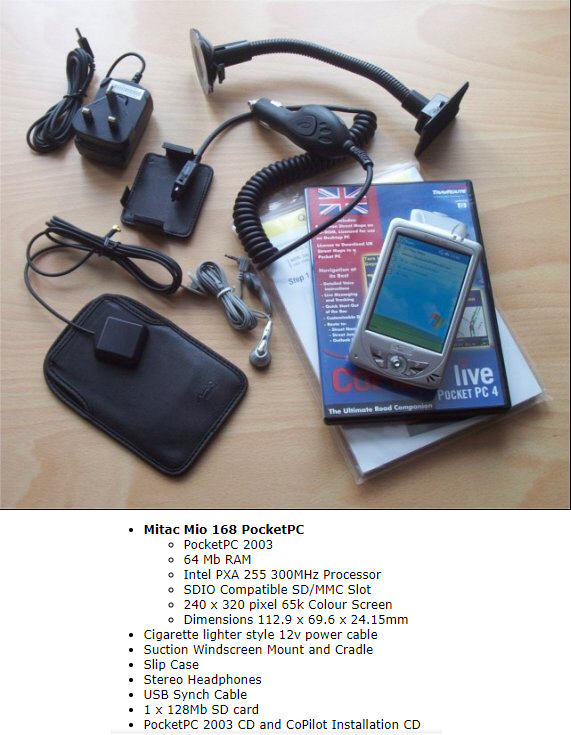
For the past several months I have evaluated the price / performance trade-off of Android & Hardware based GPS applications. For years I used Google Maps and that app hardly every steered me wrong, however Google Maps assumes the vehicle you are in is a Car or SUV. Prior to me owning a “smart phone” I used the Mitac Mio 168 GPS. The days of waiting 5 minutes for the Mitac to acquire satellites are way in the past, GPS devices and smart phones quickly find the satellites and calculate where the device is located very quickly.
Driving a 7 1/2 ton RV that stands 12 feet tall, 8 feet wide and 33 feet long is outside the scope of how Google Maps calculates routes (and of course wasn’t even a factor in the ancient Mitac device). Low clearances, narrow roadways, and weight limits do not come into the calculation when Google Maps calculates a route. Similarly Waze does not take into account large vehicle calculations and many other routing apps on the Google Play Store are ignorant of vehicle size.
CoPilot was perhaps the best performing Android routing app I evaluated however the pricing structure for the application did not fit into my budget. Although the web site for the tool states you can install and run the app on multiple phones, just not at the same time. In my case I wanted the app installed on my phone and my wife’s phone. We have two different service providers for our cell service and we thought this would be the smart option. After many emails with CoPilot’s tech support there is no easy way to have the software installed but only running on one device at a time, therefore you would have to purchase two licenses.
Sygic I evaluated briefly after abandoning CoPilot. Sygic incorrectly routed my test routes through low clearance overpasses. The Sygic tech folks were receptive of my finding and made changes to the maps within a day, but this would be of little help if I were actually on the road and nearing a low overpass. Sygic quickly made it to the bottom of the pile of prospective routing applications.
Hammer bubbled to the top during my evaluation. I have had no errors and is more in line with use for trucking rather than an RV but it does work well. Because it’s geared more for trucking, campgrounds and other sites that would be of interest while driving an RV do not appear on the map route. The big positive for this app is that it is free! I decided I would stick with Hammer and Google Maps running on two phones while in our RV. Google Maps could be used to find campsites and other RV interest sites and Hammer would be our route guidance.
Stand alone GPS hardware was encouraged by a few fellow experienced RV’ers with Garmin devices seeming to be the most accurate. I read reviews about hardware GPS devices; some folks really like them while others retired them to the top shelf of a closet. One seasoned RV’er reviewed his RV 890 on YouTube. He purchased the GPS while on vacation in Connecticut and he planned a route back to their Ohio home. The Garmin routed him directly across the George Washington Bridge in NYC (not a good place to be with a motorhome) and few corn fields while in Ohio. Harvest Hosts also did a review of the Garmin, Rand McNally, NavRuf and several phone apps. Of all the devices the Garmin RV 785 was their top pic.
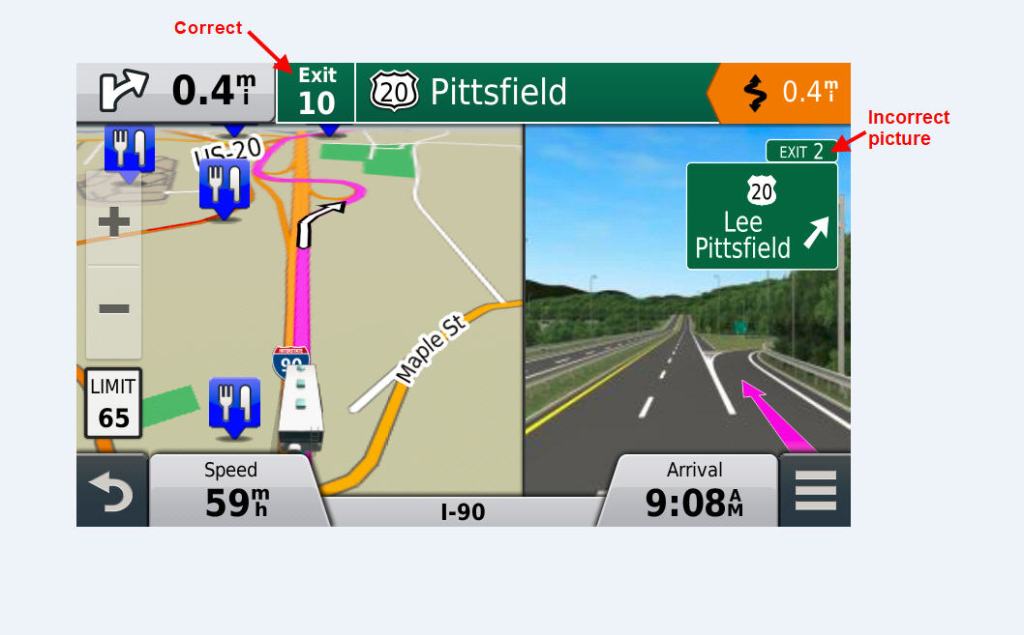
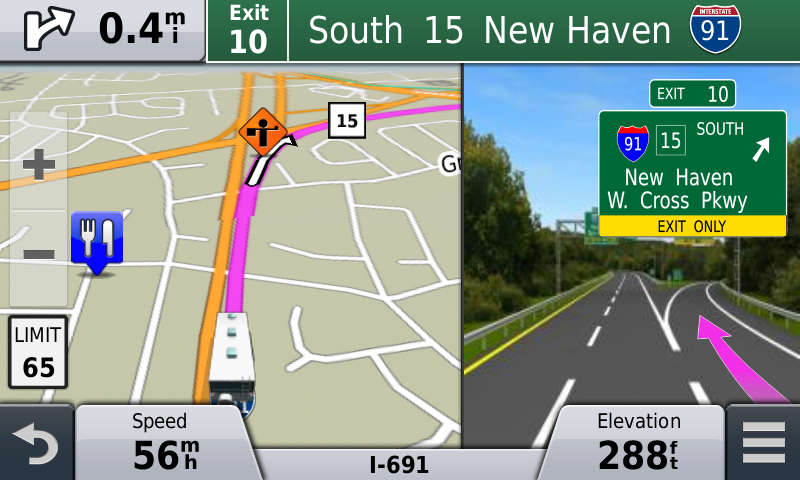
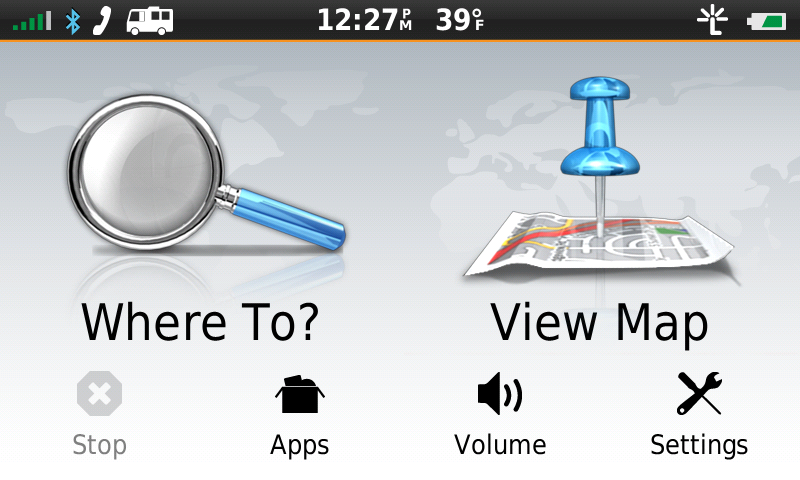
If I were to purchase a dedicated GPS it would have to be a used model since I could not justify the new list prices, most being above $350 and some approaching $1000! I found a Garmin RV 760LMT on eBay from a seller in Florida and was only asking $100. I purchased the unit and have done a few tests and so far routes have been accurate. The menus are fairly straight forward but if you are used to Google Maps you will be disappointed with the Garmin. Typing in a destination many times leaves the device not finding the address. Trying to let Garmin know of the missing / incorrect routing for addresses sends you off to sending a form to Garmin with no confirmation from Garmin. I was pleased to see the routing does have the new exit numbers (New England states have adopted mile marker as the exit numbers which started in 2021). Although the routing is correct the pictures that pop up on the device showing what the exit number looks like is incorrect and in other cases the map and routing are incorrect.
We will be putting the RV 760LMT through it’s paces over the next few months. I’ve learned that the Garmin Software tool ‘BaseCamp” that runs on a PC is useful for generating planned routes however manually copying the *.gpx files to the device from the PC is the better option over letting BaseCamp do that task. Sometimes the RV 760 won’t allow deleting a trip / route, I’ve found that this is due to the information still being on the uSD card in the device. The solution is to remove the uSD card from the device, then delete the trip, then reinsert the uSD card. The RV 760 copies all trips to internal memory from the uSD card only once (when the file first appears on the card to the OS on the RV 760). This quirky behavior requires the user to clean up the uSD card from time to time else you will have a lot of old trips stored on the uSD card.
I will revisit this post later in 2024 and give an assessment after we have driven a few thousand miles using this device. My hope is we are not led down a narrow road, low overpass, or weight limited bridges during our travel. We will be running Google Maps and Hammer in parallel to the RV 760 and of course reading traffic signs and using common sense
 Coachella